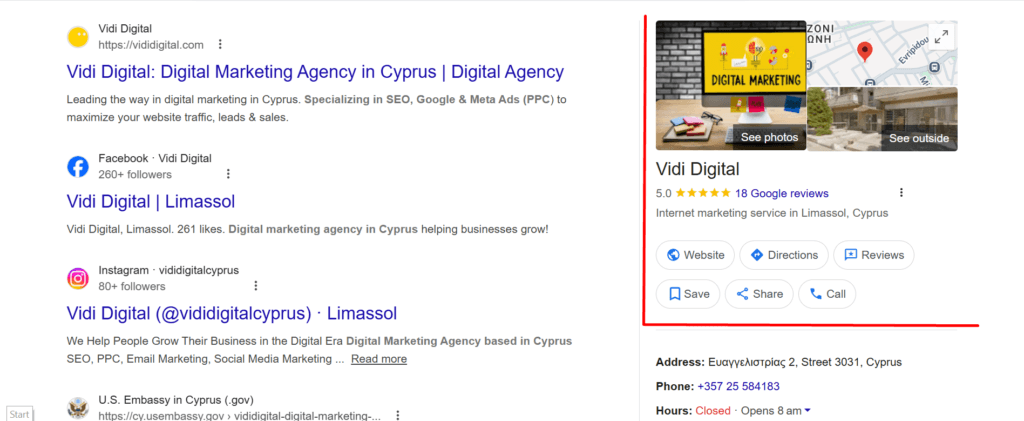
A Google Business Profile (GBP) is the panel that shows up in Google Search and Google Maps when someone looks for your business name, or searches for a service “near me”. It’s free, and once verified you can edit key details (hours, phone, website, photos), respond to reviews, and publish updates straight from Search or Maps.
For Cyprus small businesses, the basics matter even more: a tidy address, the right category, and a verification method that won’t fail on attempt three. This guide walks through the full setup and the common Cyprus-specific trip-ups, with spots where you can drop your own screenshots.
Before you start: check eligibility and gather your essentials
Google only offers Business Profiles to organisations that make in-person contact with customers during their stated hours (either at your premises, or at the customer’s location). Online-only businesses don’t qualify.
Have these ready before you touch the setup screen:
- Business name exactly as customers know it (signage, website, invoices). Adding taglines, locations, hours, or keywords in the name can get you suspended.
- Address that matches where you actually operate. P.O. boxes and remote mailboxes aren’t acceptable, and a “virtual office” address is only eligible if it’s genuinely staffed, signed, and receives customers as a real office.
- Phone number that connects to the specific location, plus a website (or at least a simple landing page).
- Opening hours you can stick to (verification options can depend on this).
- Primary category and a short list of secondary categories.
- A plan for verification (video is increasingly common).
Choose the right profile type
A big chunk of GBP problems come from choosing the wrong type at the start. Here’s the simplest way to decide.
| Profile type | When it fits | What shows publicly |
|---|---|---|
| Storefront | Customers visit you at your location during stated hours, with permanent signage. | Full address |
| Service-area business | You go to customers (electrician, cleaner, mobile mechanic) and don’t serve them at your base address. | Service area, not your address |
| Hybrid | Customers can visit you and you also travel or deliver. | Address + service area |
If you’re a service-area business, don’t “borrow” an address just to look established. Google’s guidelines are direct about this.
Step 1: Create or claim the profile
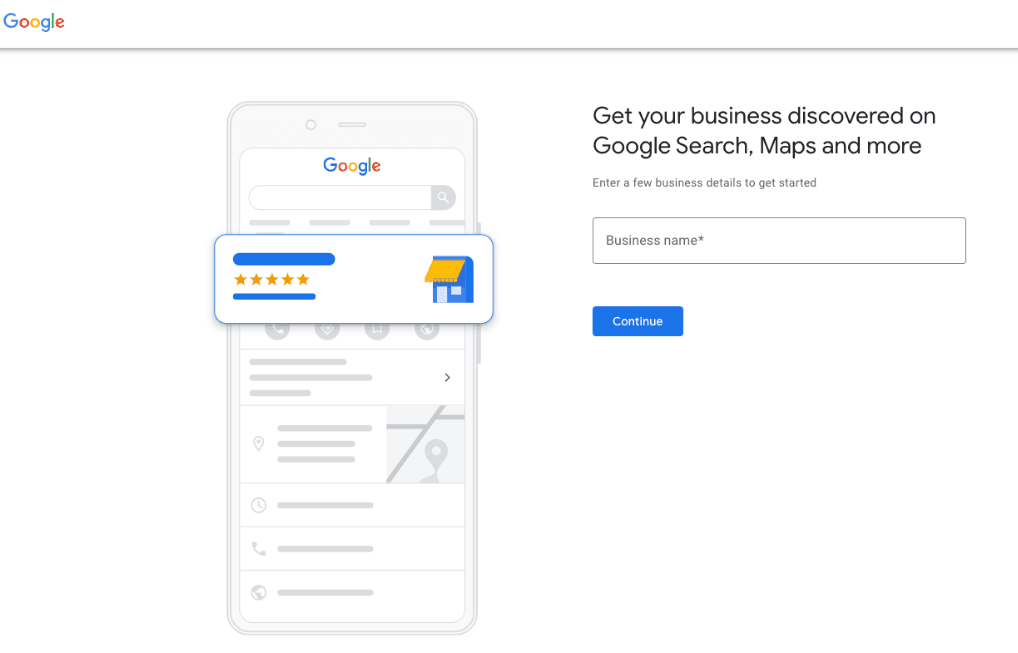
Go to Google Business Profile and sign in with the Google Account you want tied to the business (ideally one controlled by the owner, not a staff member’s personal email).

Now search your business name. A listing may already exist if customers added photos or reviews in the past. In that case, claim it instead of creating a duplicate.
Step 2: Enter the name and category
Use the real-world name. Google’s rules explicitly warn against adding unnecessary info in the name, and they list examples like marketing taglines, store codes, phone numbers, URLs, and “Open 24 hours”.
For category, pick the closest match to what you primarily sell or do. Category choices affect what features you unlock (menus, bookings, services, attributes) and what searches you appear for.
Tip that saves pain: if you’re torn between two categories, choose the one that matches your main money-maker, then add the other as a secondary later.
Step 3: Add your location details
If customers visit you
Enter your address carefully. If Google can’t find it, you can adjust the map pin to the correct spot.
Cyprus detail that helps: postal codes and street naming can be fiddly, especially in villages or where a building has multiple entrances. Use the official Cyprus Post “Find Postal Codes” tool to confirm the correct code and formatting, and keep a record in your business documents.
If you don’t serve customers at your address
Hide the address and set a service area instead. If you hide your address, Google shows your service area only.
Service areas can’t be set as a radius anymore; you must list cities, postal codes, or similar areas. You can add up to 20 service areas, and Google advises keeping the boundary within roughly two hours’ drive of your base.
Step 4: Add contact details, hours, and the basics people check first
At minimum, add:
- Phone number and website
- Opening hours (including split shifts if your category supports it)
- A short description
When writing the description, keep it clean: don’t stuff promotions, prices, or links into it. Google’s guidelines say links aren’t allowed in the description, and promo-heavy copy can be rejected.

Step 5: Get verified
Google decides which verification options you get. Not every method is available in every case, and postcard verification is no longer offered for all profiles. Common methods you might see:- Video recording (very common): you record an unedited video, at least 30 seconds, on a mobile device through your Business Profile. No breaks, no pre-recorded uploads.
- Live video call: only available for some businesses, and only during your local business hours.
- Phone/SMS or email: offered sometimes.
- Mail/postcard: can take up to two weeks in many cases.
- Street signs/building numbers/nearby landmarks that confirm the location on Maps
- Permanent signage with the business name matching the profile
- Employee-only access or actions that show you run the place (opening a till, entering a staff area, using a POS system)
- Local identifiers near your base area
- Your tools/equipment/products
Practical note: keep faces and private info out of frame. Aim for one steady take, clear signage, and good daylight.
After verification: fill the profile so it actually wins clicks
Verification unlocks edits and features, but a thin profile still underperforms. Google highlights that you can add photos/videos, collect reviews, and keep information up to date to help customers find you.
Work through these in order:
- Photos that answer “what is this place?” Exterior, interior, team at work, products, menu (if relevant).
- Services and products with plain language names (what customers type).
- Reviews: ask recent happy customers, then reply to every review like a human who owns the business.
- Posts/updates: weekly is enough for most small businesses (events, new stock, holiday hours).
Also keep changes sensible. Some edits can trigger re-verification, especially major location or name changes.
Quick troubleshooting: the problems that waste the most time
- “My address can’t be found.” Re-enter the parts marked in red, then adjust the pin if needed.
- “I used a mailbox / virtual office address.” Google’s guidelines don’t allow remote mailboxes, and virtual offices aren’t eligible unless they operate like a real staffed office with signage and customer access.
- “I’m a service-area business but my home address shows.” Hide the address and list service areas instead.
- “Edits aren’t showing.” Some updates appear quickly, but Google notes changes can take longer in some cases.
Factors that helps you show up in Nicosia, Limassol, Larnaca and beyond
- Use the same business name, address, and phone across your website and directories.
- Put your primary category on key pages (home + contact), and write one solid location page if you serve multiple cities.
- Add GBP photos that match what customers expect for Cyprus (signage visible, entrance clear, street context). It reduces “wrong place” calls and helps verification if Google re-checks.
Want your Google Business Profile set up properly, without the back-and-forth of failed verifications or messy details that confuse customers? Vidi Digital can handle the full GBP setup for Cyprus businesses, including category selection, service-area configuration, photos guidance, review readiness, and verification support. If you’d like a clean profile that matches Google’s rules and is ready to earn calls and direction requests, get in touch and we’ll map out the fastest path to a verified, polished listing.
Frequently Asked Questions
1) How long does Google Business Profile verification take in Cyprus?
It depends on the verification method Google offers for your profile. Some businesses verify quickly via phone, email, or video, while postcard verification (when available) can take longer. Plan for a few days to a couple of weeks, and avoid making major edits during the process.
2) Can I verify my GBP if I work from home in Cyprus?
Yes, if you’re a genuine service-area business (you travel to customers) you can create a profile and hide your home address so it doesn’t show publicly. You’ll list service areas instead, and you’ll need to prove you manage the business during verification.
3) What address should I use if I don’t have a shopfront?
Use the real base location you operate from, then hide it if customers don’t visit you. Don’t use a P.O. box, mailbox service, or a “virtual office” address that isn’t actually staffed and customer-facing.
4) What category should I choose for the best results?
Choose the category that matches your primary service or product, not the one that “sounds bigger”. Your category affects which searches you appear for and which profile features you get. You can add secondary categories later, but the primary one should reflect your main revenue line.
5) Why does my profile not show up on Google even after I created it?
A new profile can take time to appear, especially before verification. Visibility can also drop if details don’t match Google’s guidelines, if the address/location is unclear, or if the profile lacks key information (hours, categories, phone/website, photos). Verification and a complete profile usually fix this fast.